
Microsoft Office 365 Business Premium is a complete suite of office programs that allows you to integrate a variety of third-party applications, which is a big benefit for many organizations looking to simplify their operations.
In this article, we will discuss the advantages of connecting MS 365 with third-party apps, which apps to integrate with, and how to finish the integration.
Benefits Of Integrating Microsoft 365 With Third-Party Apps
In our experience, the main advantages are:

- Improved Efficiency: Integration enables the automation of common processes, saving time and effort on manual data input and cross-application work.
- Enhanced Collaboration: By integrating applications, teams may interact more effectively. For example, integrating a project management application into Microsoft Teams helps improve communication and work tracking.
- Data Centralization: Integration creates a centralized system for data storage and access, lowering the risk of data inconsistencies across platforms.
- Scalability: As business requirements change, these integrations may be scaled up or down, offering flexibility and adaptation to changing business environments.
- Cost-Effectiveness: By streamlining workflows and decreasing the need for various tools, firms may save money in the long run.
Best Apps To Integrate With Microsoft 365
- CRM Tools: When used with Microsoft 365, apps like Salesforce and a HubSpot may improve customer management efficiency.
- Project Management Software: Tools like Trello and Asana may be combined to improve project tracking and communication.
- Accounting software, such as QuickBooks or Xero, when connected with Excel and Outlook, may help to streamline financial procedures.
- Communication Tools: Slack’s interface with Microsoft 365 can help users increase inter-team communication (but Teams is a superior alternative).
Preparing For Integration

- Analyze the Workflow: Determine how the connection will influence existing workflows and prepare appropriately to ensure minimal interruption.
- Training and Support: Create resources for training as well as channels for employees to help them transition. And be available to answer any queries.
- Data Backup: Before integrating, verify that all critical data is backed up to avoid loss during the process.
Steps for Integration
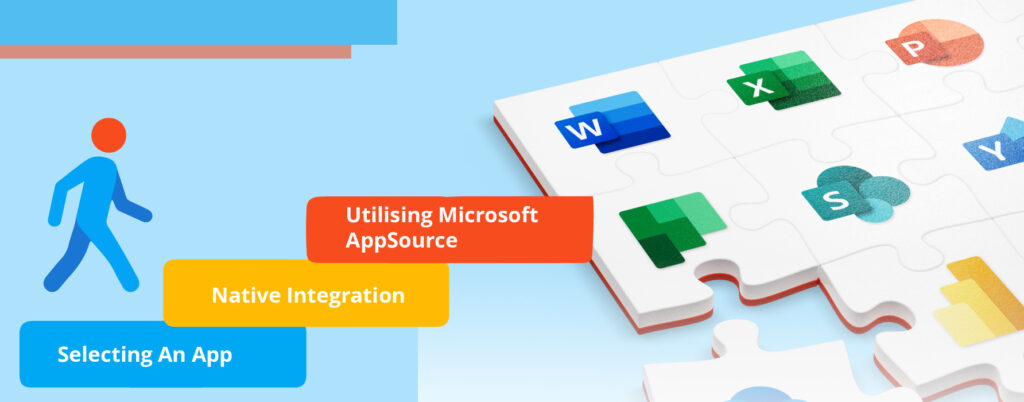
Selecting an App
Beyond selecting an app and determining how it will integrate into your existing system, you must also examine the app’s usability, support, and long-term viability.
Native Integration
Investigate the extent of native integration. Some integrations may be shallow and might not deliver the complete functionality required.
Utilizing Microsoft AppSource
Microsoft AppSource likewise helps you identify suitable programs, but it also provides reviews and ratings to help you make an informed selection.
Navigating Integration Challenges

- Technical Difficulties: If technical challenges emerge during integration, hiring a dedicated IT Company Team or a reputable third-party supplier can help ensure a quick resolution.
- User Resistance: It is normal for people to resist change. Address this by emphasizing the advantages of integration and offering full training and assistance.
- Downtime Management: Prepare for probable downtime during integration. Inform all users ahead of time and prepare contingency measures to minimize interruption to company operations.
Conclusion
Finally, Microsoft Office 365 Business Premium stands out as a powerful platform that smoothly integrates third-party applications, therefore increasing your company’s total usefulness and productivity. This plan’s user-friendly design and strong features provide for a simplified experience, allowing you to adjust and optimize your workflow easily. Purchase Microsoft Office 365 so you can embrace the future of corporate collaboration—where efficiency meets innovation.