
Cloud computing is reshaping how businesses operate, and Microsoft Azure stands at the forefront of this revolution. As businesses increasingly migrate to the cloud in , having a robust cloud administration strategy is crucial. Azure, with its powerful suite of services, offers a vast landscape for managing IT infrastructure. In this article, we’ll guide you through the essential steps of cloud administration in Azure, from setup to optimization.
1. Getting Started with Azure

Before diving into the technical aspects, you need an Azure account. Visit the Azure website to create an account. Microsoft often provides a free trial with credits for newcomers, allowing you to explore services without incurring immediate costs. Once you have your account, you’re ready to begin!
2. Creating and Managing Resources
Azure’s main building blocks are resources like virtual machines (VMs), databases, storage accounts, and networking components. To start, the Azure portal is your primary interface for managing these resources.
- Virtual Machines (VMs): VMs are essential in cloud administration, offering scalable computing power. To create a VM, go to the Azure portal, select “Create a resource,” then choose “Virtual Machine.” Follow the prompts to select your operating system, size, and other configurations.
- Storage Accounts: Azure provides various storage solutions, such as Blob Storage, File Storage, and Disk Storage. Creating a storage account is straightforward. Navigate to “Create a resource,” select “Storage,” and then choose the type of storage you need.
3. Understanding Networking in Azure
A critical component of Azure cloud administration is networking. Whether you’re setting up a single VM or a complex multi-tier application, proper network configuration is vital.
- Virtual Networks (VNets): VNets enable you to isolate and secure your resources. Create a virtual network by selecting “Create a resource,” then choose “Networking” and “Virtual Network.” Assign subnets to organize resources within your VNet.
- Network Security Groups (NSGs): NSGs control inbound and outbound traffic for Azure resources. Setting up NSGs involves defining rules based on IP addresses, ports, and protocols.
- Load Balancers and VPN Gateways: Load balancers distribute traffic to different VMs, ensuring high availability. VPN gateways securely connect your on-premises network to Azure.
4. Identity and Access Management
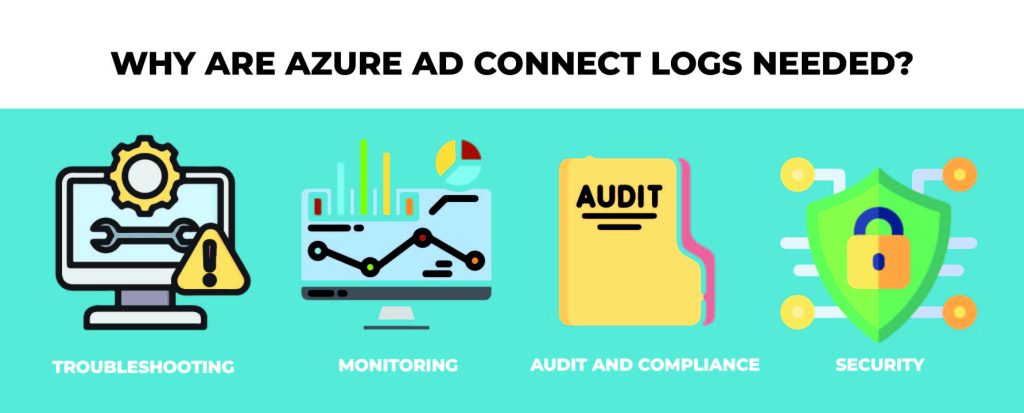
Azure Active Directory (Azure AD) is the heart of identity management in Azure. It helps manage users, groups, and permissions. A solid identity management strategy ensures that only authorized users can access resources.
- Creating Users and Groups: You can create users directly in Azure AD or sync with on-premises Active Directory. Groups are useful for managing access to resources. You can assign different roles to users or groups to control permissions.
- Multi-Factor Authentication (MFA): Enhance security by enabling MFA. This ensures that even if someone gains access to a user’s password, they cannot log in without a second form of verification.
5. Automation with Azure PowerShell and CLI

Managing resources manually can become tedious, especially at scale. Azure PowerShell and the Azure Command-Line Interface (CLI) provide automation options that simplify resource management.
- Azure PowerShell: With PowerShell, you can automate tasks such as creating VMs, configuring networking, or deploying applications. Install the Azure PowerShell module and use cmdlets like
New-AzVMorSet-AzVirtualNetworkto manage resources. - Azure CLI: The Azure CLI is a cross-platform tool that allows you to manage Azure resources through commands. It’s lightweight and simple to use for both developers and administrators.
6. Monitoring and Diagnostics
Once your resources are up and running, continuous monitoring is essential to ensure performance and reliability. Azure offers a variety of tools to help you monitor your cloud environment.
- Azure Monitor: This tool provides a comprehensive view of your resources. It collects metrics, logs, and diagnostics data, offering insights into the health of your resources. Set up alerts to notify you when issues arise.
- Azure Application Insights: If you’re deploying applications, Application Insights helps monitor application performance and troubleshoot issues in real time.
- Azure Log Analytics: This tool allows you to analyze data across various Azure resources, providing deep insights into your infrastructure’s performance and security.
7. Optimizing Azure Resources
Effective optimization in Azure can save you significant costs and improve your resources’ performance. Here are some steps you can take to optimize your Azure environment:
- Right-Sizing Resources: Often, businesses over-provision resources, leading to unnecessary costs. Regularly review the size of your VMs, storage, and other services. Azure provides recommendations on right-sizing through the Azure Advisor tool.
- Scaling Resources: Azure’s scalability is one of its strongest features. If your workload grows, you can scale your resources up or out. Use Azure’s auto-scaling feature for resources like VMs or databases to automatically adjust based on demand.
- Azure Cost Management: Azure provides built-in cost management tools that help track spending, set budgets, and forecast future costs. By setting up alerts for budget limits, you can ensure your cloud spending stays under control.
- Reserved Instances: For predictable workloads, consider using reserved instances for services like VMs and databases. These allow you to commit to a resource for a one- or three-year term in exchange for significant savings.
8. Security Best Practices
Security is a critical aspect of cloud administration in {{ city1 }}, {{ city2 }} and {{ city3}}. Protecting your data, applications, and resources from threats should be a top priority.
- Azure Security Center: This is a unified security management system that helps prevent, detect, and respond to threats and hacking of site. It offers security recommendations, compliance assessments, and threat protection across your environment.
- Encryption: Ensure that your data is encrypted both at rest and in transit. Azure provides built-in encryption features, such as Azure Storage Service Encryption and Azure Disk Encryption.
- Access Control: Use role-based access control (RBAC) to manage who has access to specific resources. Regularly review permissions to ensure the principle of least privilege is applied.
9. Backup and Disaster Recovery
No system is immune to failures, so having a backup and disaster recovery plan is essential. Azure offers tools to ensure business continuity.
- Azure Backup: Azure Backup provides a reliable and secure solution for backing up your data and VMs. It’s easy to set up and ensures that you can restore your environment in case of failure.
- Azure Site Recovery: For more complex disaster recovery scenarios, Azure Site Recovery replicates your entire environment, allowing you to failover to another region or data center if disaster strikes.
10. Conclusion:
Azure cloud administration isn’t a one-time setup; it’s a continuous process. As your business grows, your cloud environment will evolve, and so should your administration practices. Regularly audit your resources, optimize performance, and ensure that security is always a priority.
By mastering the fundamentals from setup to optimization—you can ensure that your business is well-positioned to leverage the full power of the cloud. Whether you’re a small business or a large enterprise, the right approach to cloud management can drive efficiency, cost savings, and innovation. Start exploring it today, and take control of your cloud future!