

Welcome to our latest blog post, where we will cover the important tasks of maintaining and updating plugins during web maintenance in 2024. In today’s fast-paced digital market, keeping your website up to date is critical for peak performance, security, and usability. With ever-changing technology and plugin upgrades, ensuring your website’s functionality and security involves strategic planning and ongoing maintenance. In this article, we’ll look at how important it is to update and maintain plugins, what best practices to follow, and IT Company Web Maintenance service can help streamline this process for you.
Make frequent backups of your website
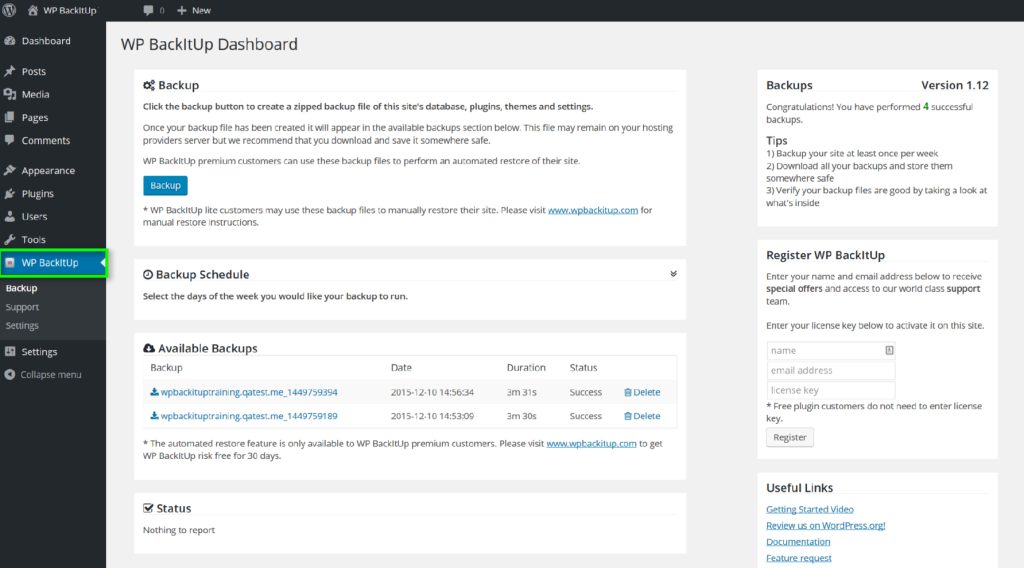
Before updating or installing any plugin, build a backup of your site that you can restore if something goes wrong. You may generate a backup of your files and database manually or with a backup plugin. Keep your backup in a safe location, such as an external drive, a cloud provider.
Check the plugin compatibility and reviews
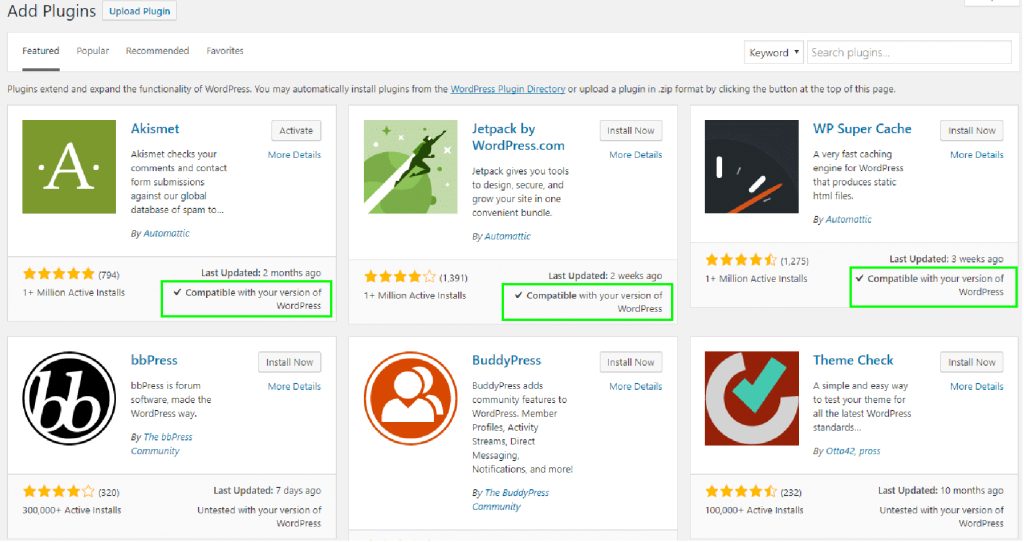
Not every plugin works with your WordPress versions, theme, or other plugins. Before updating or installing a plugin, evaluate its compatibility, changelog, and reviews. Look for complaints of plugin flaws, conflicts, or difficulties. Avoid plugins that have been inactive for a long time or have low ratings.
Test plugins on a staging website
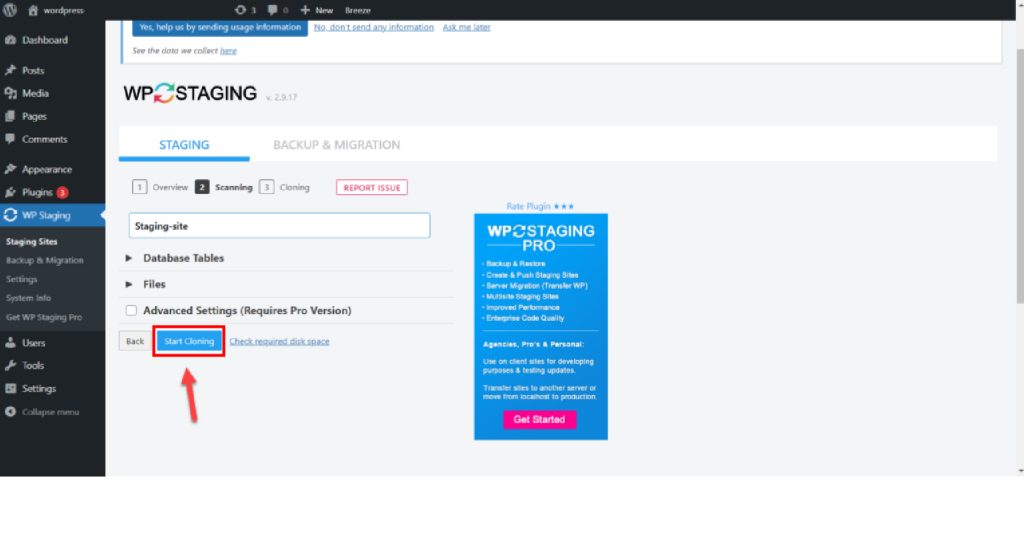
A staging site is a duplicate of your live site that allows you to test changes without disrupting your visitors. To construct a staging site, utilize a staging plugin or a hosting service that has staging functionality. Test your plugins on the staging site before deploying them to your live site.
Update the plugins one by one
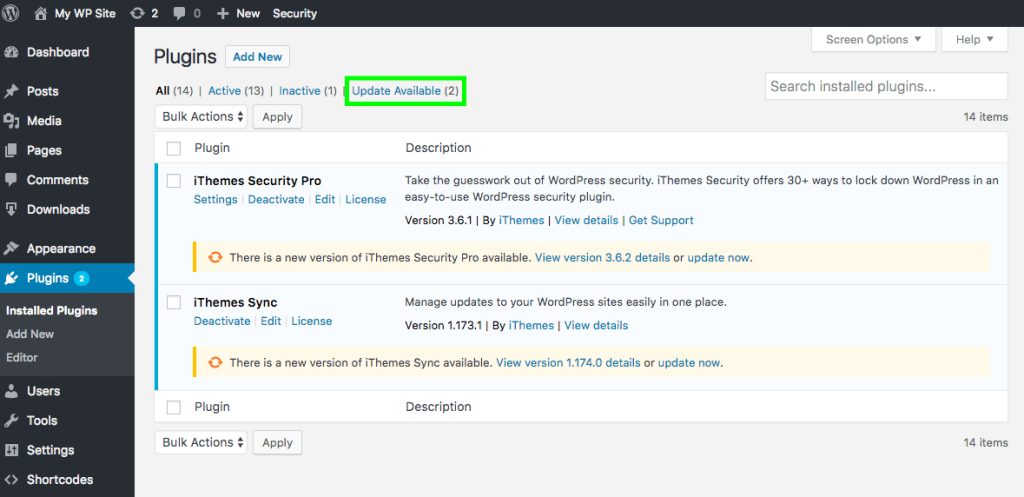
Updating many plugins at once increases the danger of damaging your site since you may be unable to determine which plugin caused the issue. Update your plugins one at a time, then verify your site after each update. If you encounter any errors or problems, disable the plugin and investigate the cause.
Monitor your website’s security and performance
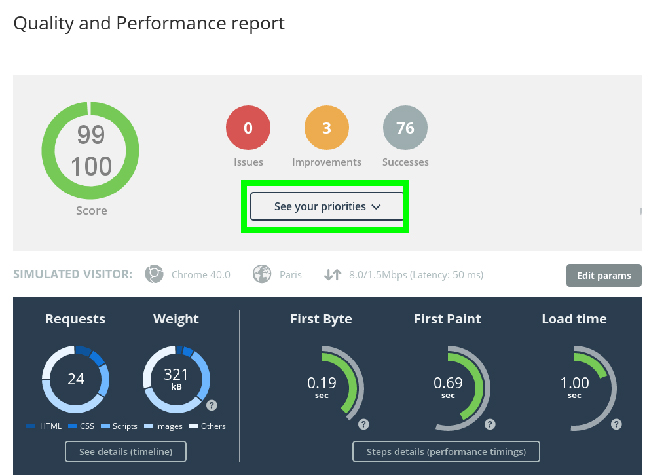
Keeping your plugins up to date and maintained is a continuous process. You must review your site’s performance and security on a frequent basis, as plugins can effect site speed, SEO, and vulnerability. Scan your site using speed and security plugins to look for problems like poor loading, broken links, malware, or hacking attempts. Fix any problems as quickly as possible, and make sure your plugins are up to date.
Conclusion:
Finally, keeping up with plugin updates and maintenance is critical to your website’s performance and survival in 2024 and beyond. By maintaining and updating your plugins regularly, you not only assure maximum performance and security but also create a consistent user experience for your visitors. Our Web Maintenance service reduces the workload of handling these responsibilities, enabling you to focus on your core business operations while we manage the technical aspects of website maintenance.
1: Make a backup of your theme.
2: Download the latest version of your theme.
3: Re-add your adjustments to the revised theme files.
4: Upload the revised theme folder to your website.
5: Turn on the modified theme on your website.
6: Test your website.
Updating plugins can enhance your site’s performance, security, and compatibility, but it can also be problematic if done poorly or carelessly. In this post, we will offer some best practices for frequently and safely upgrading WordPress plugins, as well as how to prevent common dangers and issues.
