
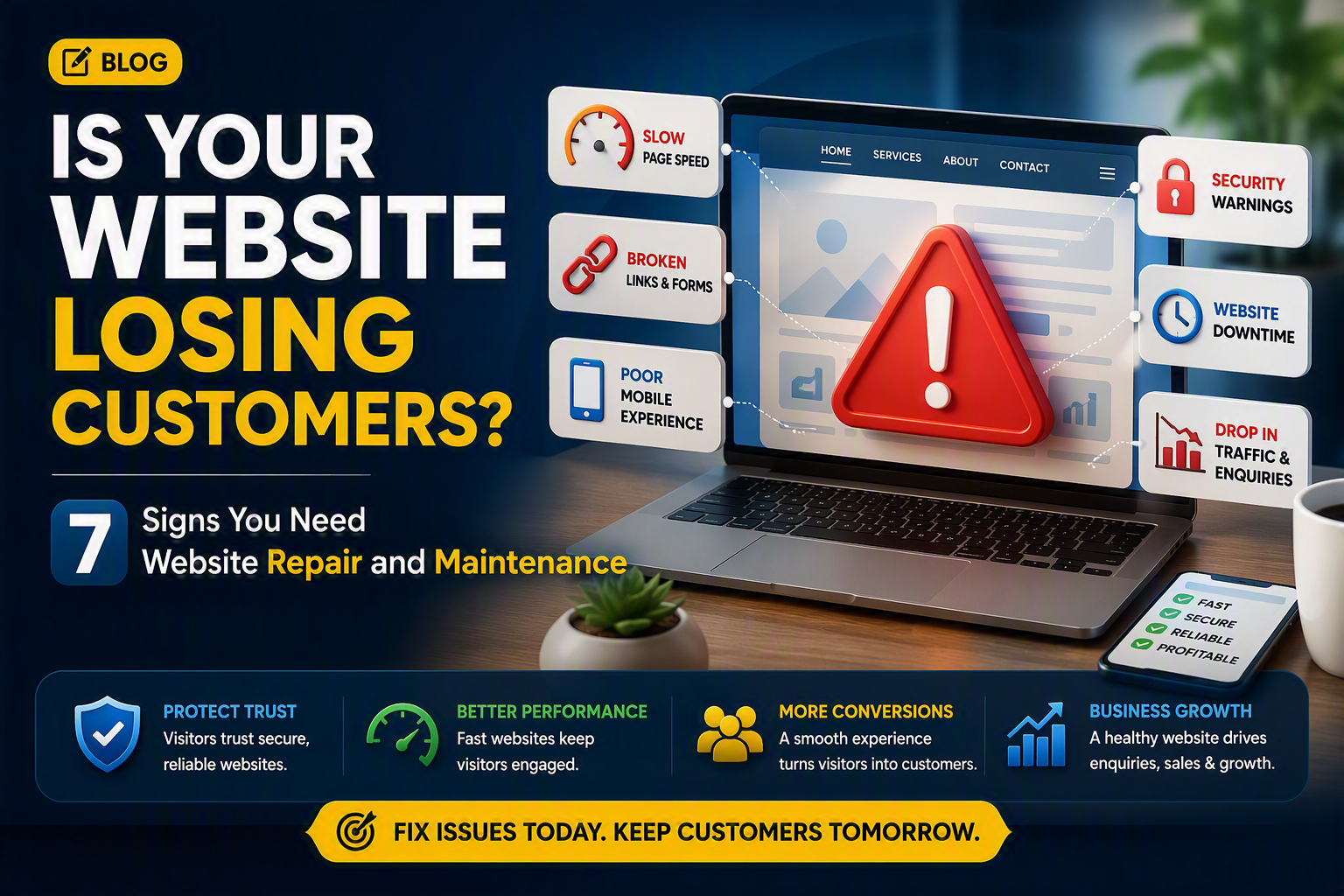
A website can look professional while hidden performance, security or usability problems quietly cost your business enquiries, bookings and sales.
Recognising these warning signs early helps you repair faults before they damage customer trust, search visibility or revenue.
Introduction
Your website must do more than remain online. It should load quickly, work correctly on every device, protect customer information and guide visitors towards an enquiry, booking or purchase.
A slow page can create doubt. A failed contact form can block valuable leads, while an expired security certificate may prevent customers from opening the website. Incorrect prices, opening hours or telephone numbers can also weaken confidence.
Regular website maintenance services keep a business website secure, accurate and reliable. Not every problem requires a complete redesign. Timely repairs, testing and preventive maintenance can resolve many faults before they become expensive emergencies.
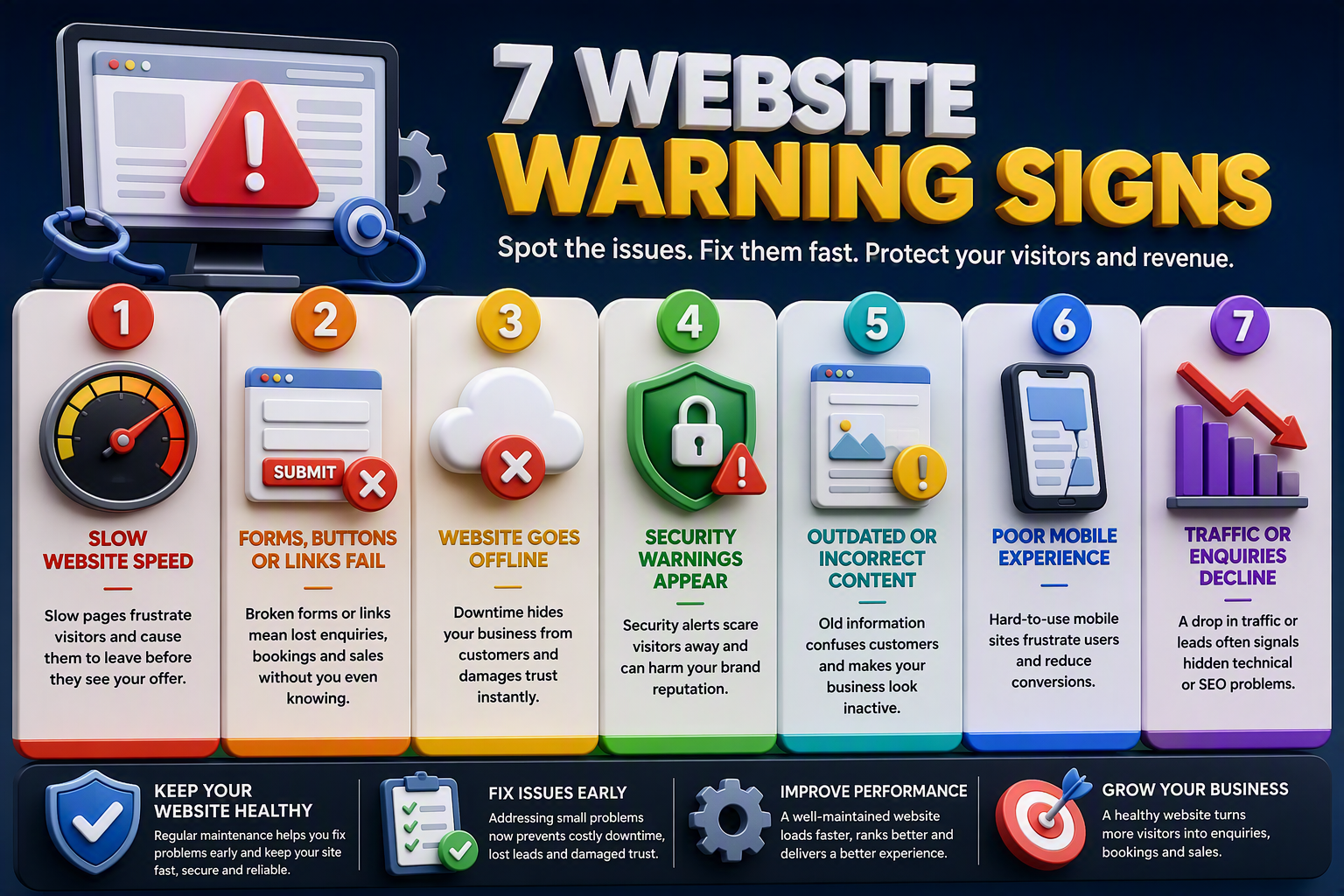
1. Your Website Loads Too Slowly
Page speed influences a visitor’s first impression. If an important page takes too long to appear, a potential customer may leave before learning about your offer.
Oversized images, outdated plugins, unnecessary scripts, poor caching and weak hosting commonly reduce performance. Test the homepage, service pages, forms and checkout rather than relying on one result.
Google considers Largest Contentful Paint of 2.5 seconds or less, Interaction to Next Paint of 200 milliseconds or less and Cumulative Layout Shift of 0.1 or less to be good performance thresholds. Read Google’s Core Web Vitals guidance for technical details.
A maintenance review can identify slow scripts, database problems and inefficient files. Where server performance contributes to delays, dependable web hosting can provide a more stable foundation.
Practical tip: Test the site on a mobile phone using an ordinary mobile connection, not only fast office Wi-Fi.
2. Forms, Buttons or Links Fail
A contact form may appear normal while failing to deliver messages. The business may lose leads for weeks because visitors see no error and staff receive no warning.
Submit every important form and confirm the message reaches the correct inbox. Test booking buttons, telephone links, payment pages and confirmation emails on mobile and desktop devices. Also verify that analytics records each completed action correctly.
Updates can sometimes create compatibility problems. Important changes should therefore be tested in a staging environment when practical, especially on ecommerce, membership or booking websites.
Important: Do not consider a form functional simply because a success message appears. Confirm that the enquiry is received and stored correctly.
3. Your Website Goes Offline Unexpectedly
Downtime stops visitors from enquiring, booking or purchasing. It can also waste advertising spend when campaigns continue sending people to an unavailable page.
Automated uptime monitoring can alert a support team when the website becomes unreachable. Domain expiry, SSL status, server health and backup availability should also be monitored because each can affect access.
Reliable infrastructure should handle normal traffic and temporary peaks during promotions or product launches. Businesses experiencing repeated server problems may need professional server management alongside routine website maintenance.
A recovery plan should identify who responds, where backups are stored and how service will be restored. This turns an unexpected outage into a controlled technical process.
4. Visitors See Security Warnings
Browser warnings can destroy confidence within seconds. Expired SSL certificates, malware, unsafe scripts or compromised files can all discourage customers from continuing.
Website platforms, themes and plugins require security updates because older versions may contain known vulnerabilities. Updates should be applied carefully and checked afterwards to ensure that forms, layouts and payments still work.
Backups must be recent, complete and restorable. Storing a backup without testing recovery creates a false sense of protection. Higher-risk websites may also benefit from dedicated website security and protection for vulnerability scanning, malware detection and response.
A website can appear normal while hidden malicious files remain active, so visual inspection is never a complete security check.
5. Website Information Is Outdated
Customers rely on your website for accurate prices, services, opening hours, contact details and availability. Incorrect information creates confusion and may send ready-to-buy visitors elsewhere.
Review commercially important pages regularly. Update expired promotions, old staff profiles, unavailable products and revised policies. Content should not be changed merely to appear fresh. Every edit should improve accuracy, clarity or usefulness.
Accessibility also deserves attention. Clear form labels, useful image alternative text, readable contrast and keyboard-friendly navigation help more people use the website successfully.
6. The Mobile Experience Is Difficult
A website that works on a desktop can still fail on a phone. Menus may not open, text may overlap and buttons may be difficult to tap. Long forms can become frustrating on smaller screens.
Test service pages, navigation, forms, bookings, payments and tap-to-call buttons across several screen sizes. Repeat these checks after major content or software changes.
If recurring layout faults come from an outdated structure, a professional website design review may offer a better long-term solution than repeated small repairs. Maintenance fixes individual problems, while redesign addresses an unsuitable foundation.
7. Traffic or Enquiries Decline
Falling traffic does not always mean the marketing strategy has failed. Broken internal links, deleted pages without redirects, accidental indexing blocks, missing titles and server errors can prevent search engines from processing important pages correctly.
First determine whether the decline affects one page, one section or the whole site. Then examine recent migrations, updates, URL changes and deleted content.
Compare traffic with enquiries. If visits remain steady but leads fall, test forms, telephone links, calls to action and conversion tracking. When the website is technically healthy but attracts too few qualified visitors, targeted SEO services can support content relevance and search visibility.
Website Repair vs Website Maintenance
| Area | Website repair | Website maintenance |
|---|---|---|
| Purpose | Fixes an existing fault | Prevents recurring problems |
| Typical work | Broken forms, malware removal, layout repairs | Updates, monitoring, testing and backups |
| Timing | Required after a problem appears | Completed on a recurring schedule |
| Business value | Restores lost functionality | Reduces downtime, risk and unexpected costs |
Repair and maintenance work best together. Repairs restore performance, while ongoing care helps prevent the same issue from returning.
What Should Website Maintenance Include?
A practical plan should cover software updates, uptime monitoring, security scans, SSL checks, tested backups, speed reviews, broken links and minor content changes. It should also define response times, backup frequency and whether emergency repairs are included.
High-traffic stores and booking platforms may need daily monitoring. Smaller information websites can follow a lighter schedule, but forms, security alerts and availability should still be checked frequently.
How Website Problems Affect the Customer Journey
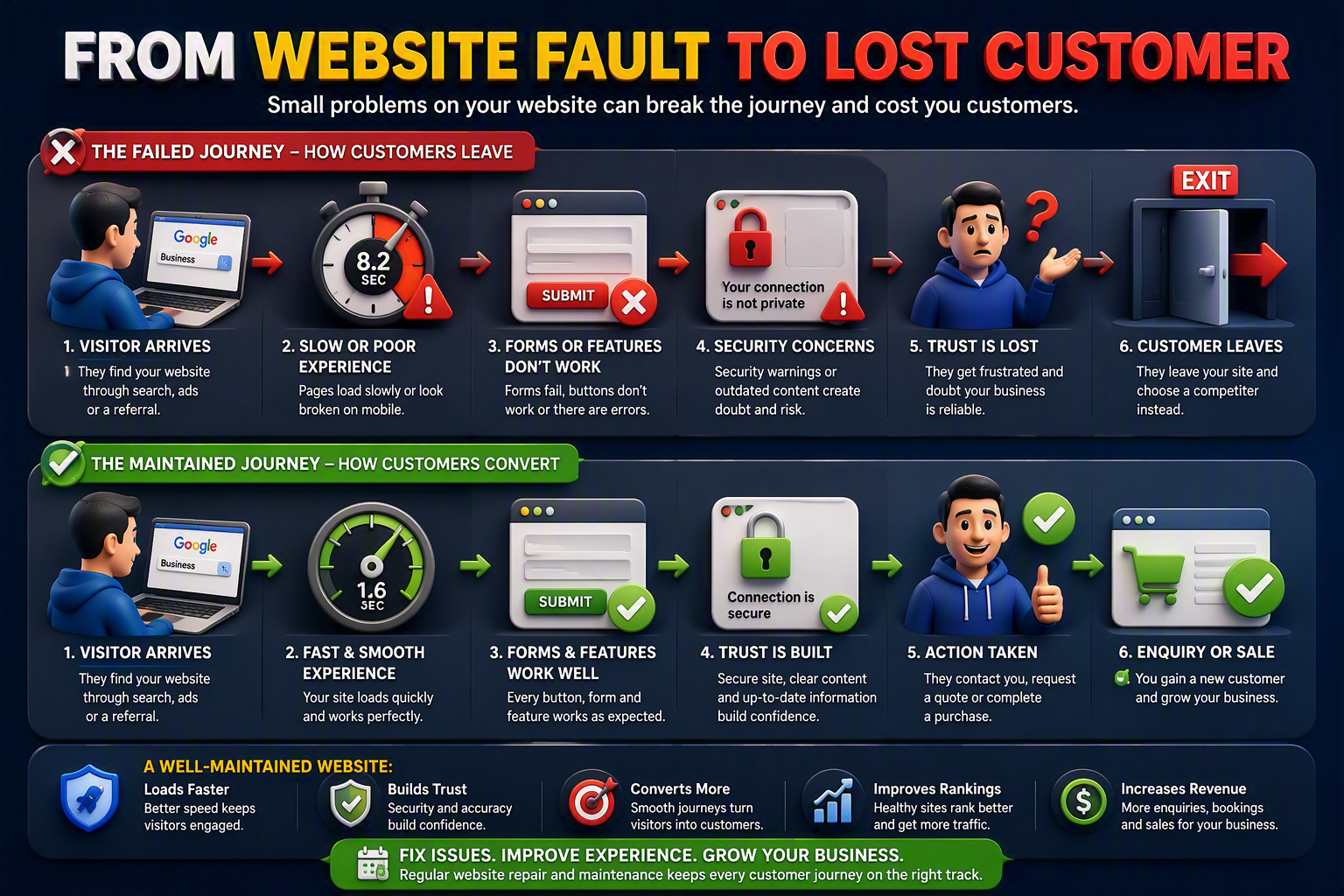
Website faults rarely remain isolated technical issues. A slow page, broken form or security warning can interrupt the customer journey, reduce trust and encourage visitors to choose a competitor. In contrast, a well-maintained website creates a faster and more reliable experience that guides customers towards completing an enquiry, booking or purchase.
The comparison below shows how website condition can influence each stage of that journey, from the visitor’s first interaction to the final business outcome.
Frequently Asked Questions
What is the difference between website repair and maintenance?
Repair fixes an existing fault. Maintenance uses recurring monitoring, updates and testing to reduce future faults.
Do small businesses need website maintenance?
Yes. Small businesses often depend on their websites for calls, enquiries, bookings and sales. Maintenance helps protect these opportunities.
Does website maintenance include hosting?
Not always. Ask whether the plan covers servers, uptime monitoring, SSL certificates, backups and domain expiry.
Can website maintenance improve SEO?
It can support SEO by improving speed, mobile usability, internal links, security and accuracy. It should complement, not replace, a search strategy.
How can I tell whether my website has malware?
Warning signs include redirects, unfamiliar pages, browser alerts and sudden performance problems. Because some malware remains hidden, use a professional security scan.
Can another provider maintain my website?
Usually, yes. The provider will need appropriate website, hosting and domain access before completing an initial technical assessment.
What happens if an update breaks the website?
The provider should identify the conflict, restore a working backup if necessary and test a corrected update before applying it again.
Is Monthly Website Maintenance Worthwhile?
It can be valuable when a website produces leads or revenue because regular checks help identify problems before prolonged disruption occurs.
Protect Every Customer Opportunity
Your website is more than a digital presence. It is a valuable customer touchpoint that supports search visibility, builds customer trust and generates enquiries, bookings and sales. Slow loading times, broken forms, unexpected downtime, security warnings, outdated content and poor mobile usability can interrupt that journey and quietly send potential customers elsewhere. Identifying these warning signs early allows your business to resolve technical problems before they affect search performance, customer confidence or revenue.
Regular website repair and maintenance keeps your website fast, secure, accurate and dependable across every device. Begin with a comprehensive website health check to separate urgent repairs from areas requiring ongoing monitoring, updates and optimisation. By taking a proactive approach, your business can reduce unexpected disruptions and provide every visitor with a smoother, safer path towards making an enquiry, requesting a quote or completing a purchase.
